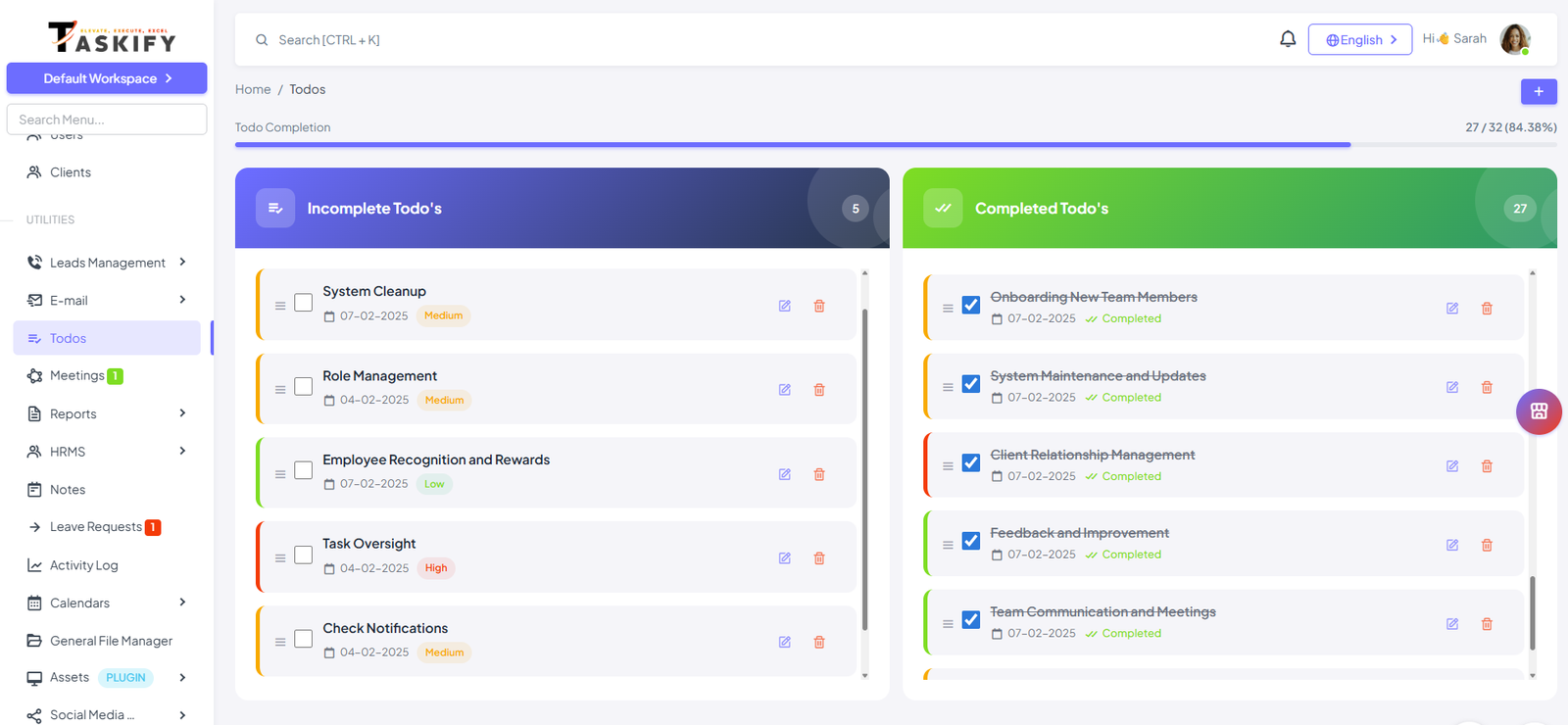
Creating a To-Do
Navigate to the To-Dos section in Taskify.
Enter the task name or note you want to remember.
(Optional) Set a reminder notification so Taskify alerts you at the right time.
Using Reminders
Taskify allows you to add reminders to To-Dos.
Instead of due dates, you’ll receive timely notifications to ensure you take action.
Example: "Call client at 4 PM" → Set reminder for 3:55 PM.
Drag and Drop Functionality
To-Dos have two states: Incomplete and Complete.
Simply drag an item to mark it complete, or drag it back if you want to reopen it.
This keeps your list clean and helps you visually track progress.
Why This is Useful?
Simplifies todo status updates without extra clicks.
Helps you prioritize quickly by organizing your to-dos visually.
Saves time compared to editing task details.