
Project Views in Taskify
Taskify provides multiple ways to visualize and manage your projects, so you can choose the view that best fits your workflow. Each view offers a unique perspective on your projects, tasks, and deadlines, helping teams stay organized and productive.
1. List View
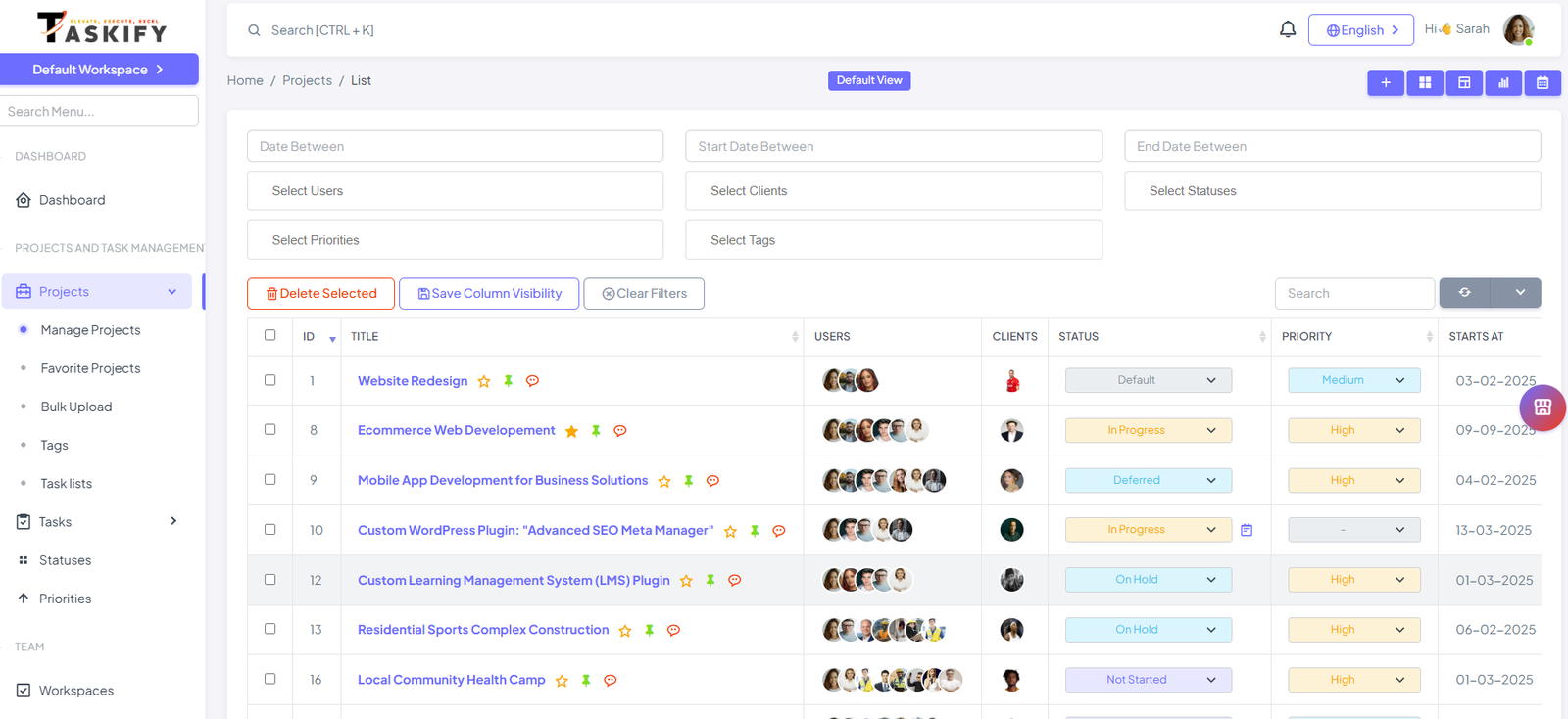
The List View displays all your projects in a detailed table format. You can see:
Project name and description
Start and end dates
Assigned team members
Current status and progress
Benefits:
Ideal for managers who prefer a structured, information-rich overview.
Quick sorting and filtering to find specific projects.
2. Grid View
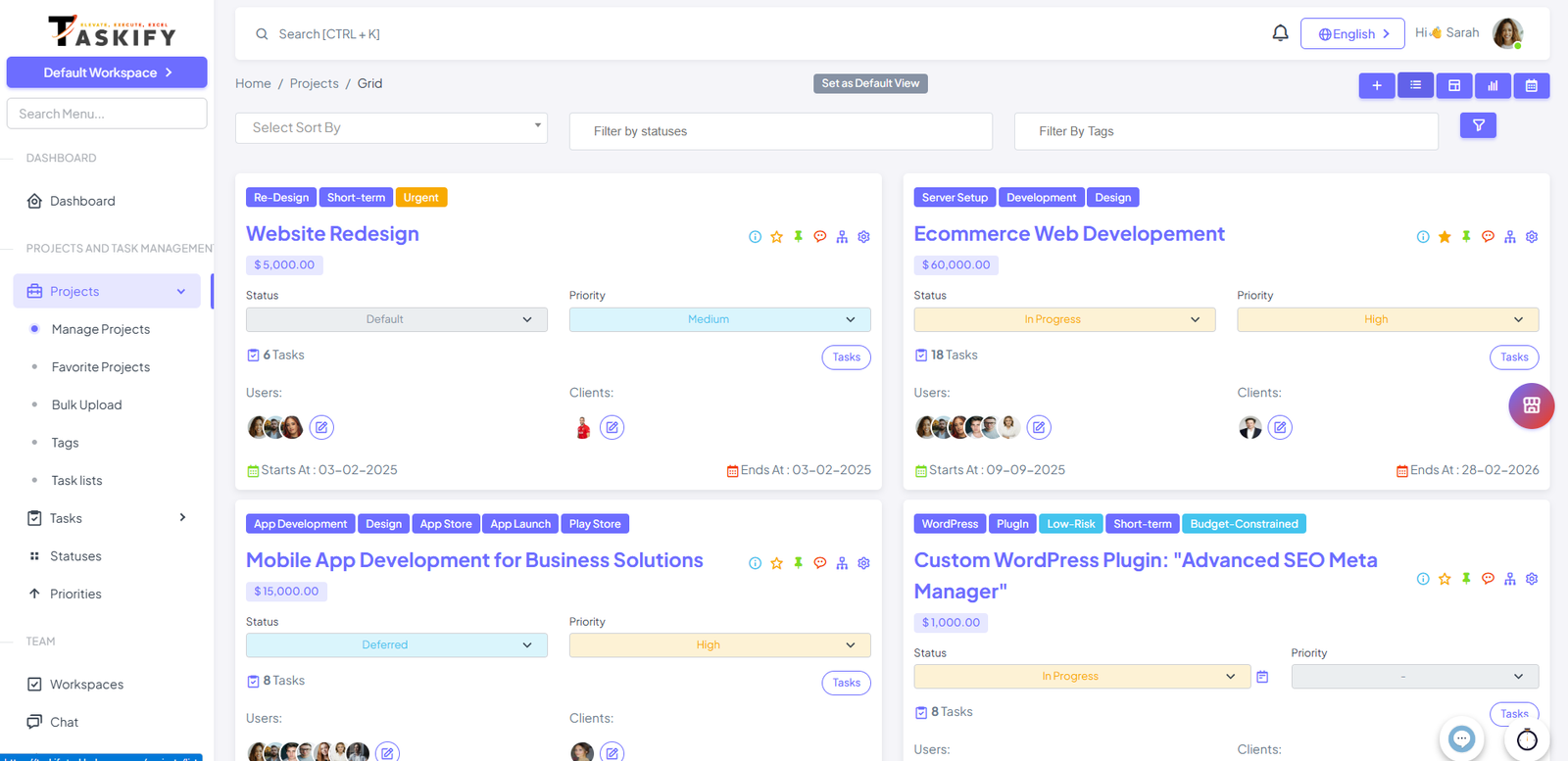
The Grid View shows projects as cards, making it easier to visualize multiple projects at once. Each card can display:
Project name and brief description
Status indicator
Assigned team members
Benefits:
Great for quick project overviews.
Helps visually compare multiple projects at a glance.
3. Calendar View
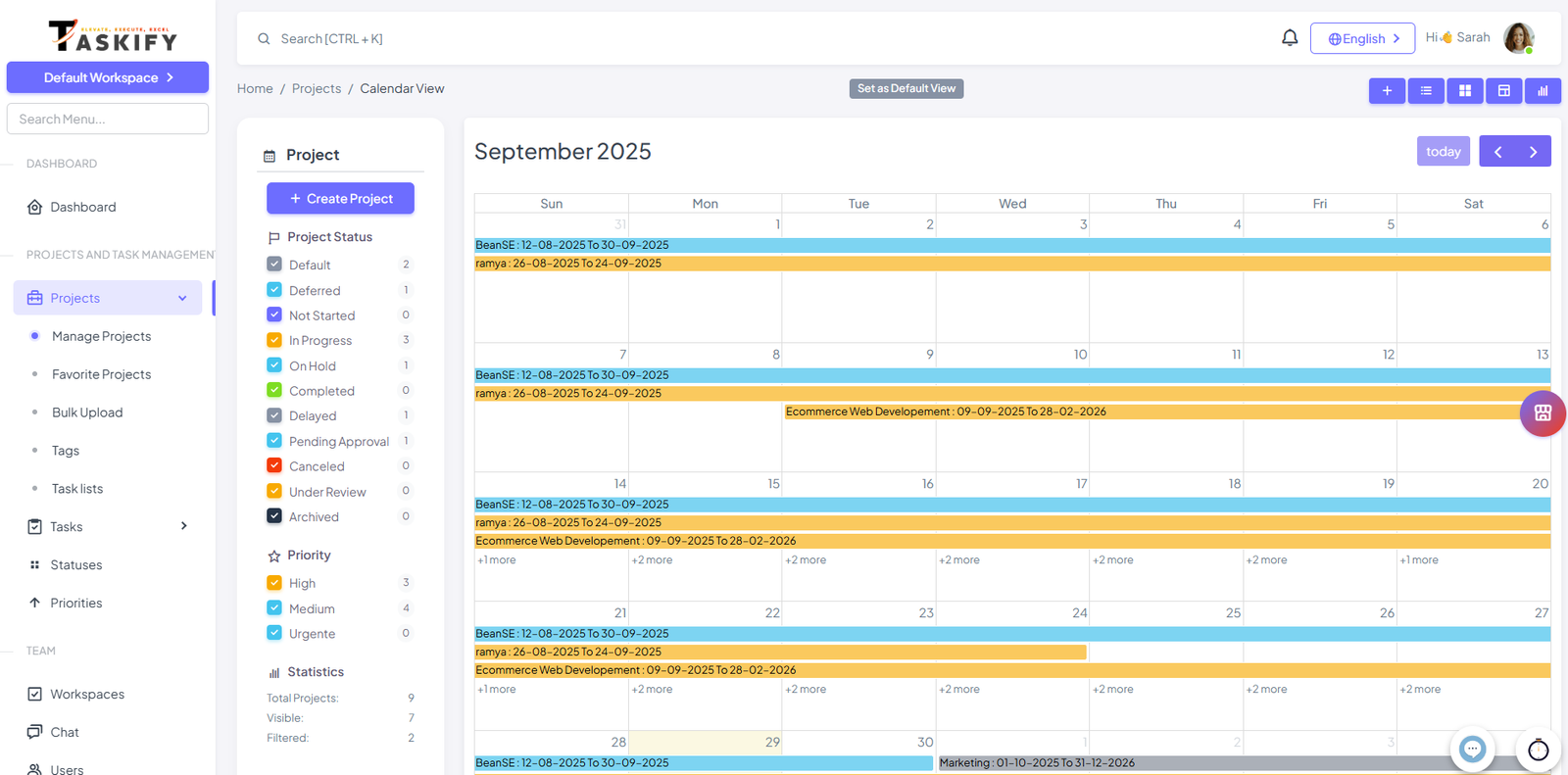
The Calendar View organizes your projects based on start date and end date. You can:
Drag and drop project to change dates
View and Filter based on status and priority
Track Projects Timeline
Benefits:
Perfect for teams that prioritize deadlines and scheduling.
Helps avoid overlapping projects and deadlines.
4. Kanban View
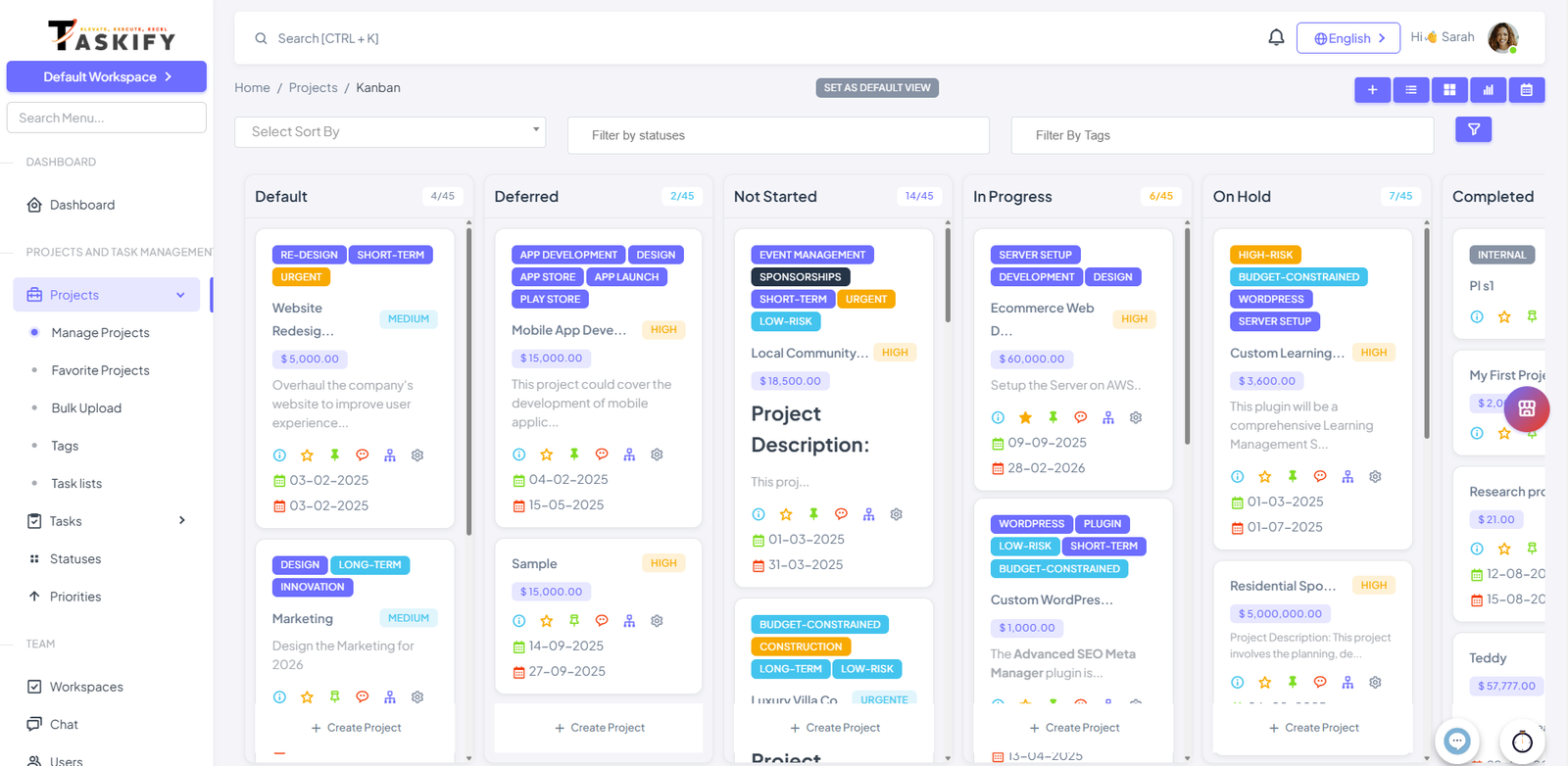
The Kanban View is a visual workflow board, where projects are displayed in columns representing different statuses (e.g., Open, In Progress, Completed). You can:
Move tasks between columns using drag-and-drop
Quickly see project progress across the project lifecycle
Assign team members to project directly on the board
Benefits:
Excellent for agile teams or projects with iterative workflows.
Helps identify bottlenecks and balance workloads.
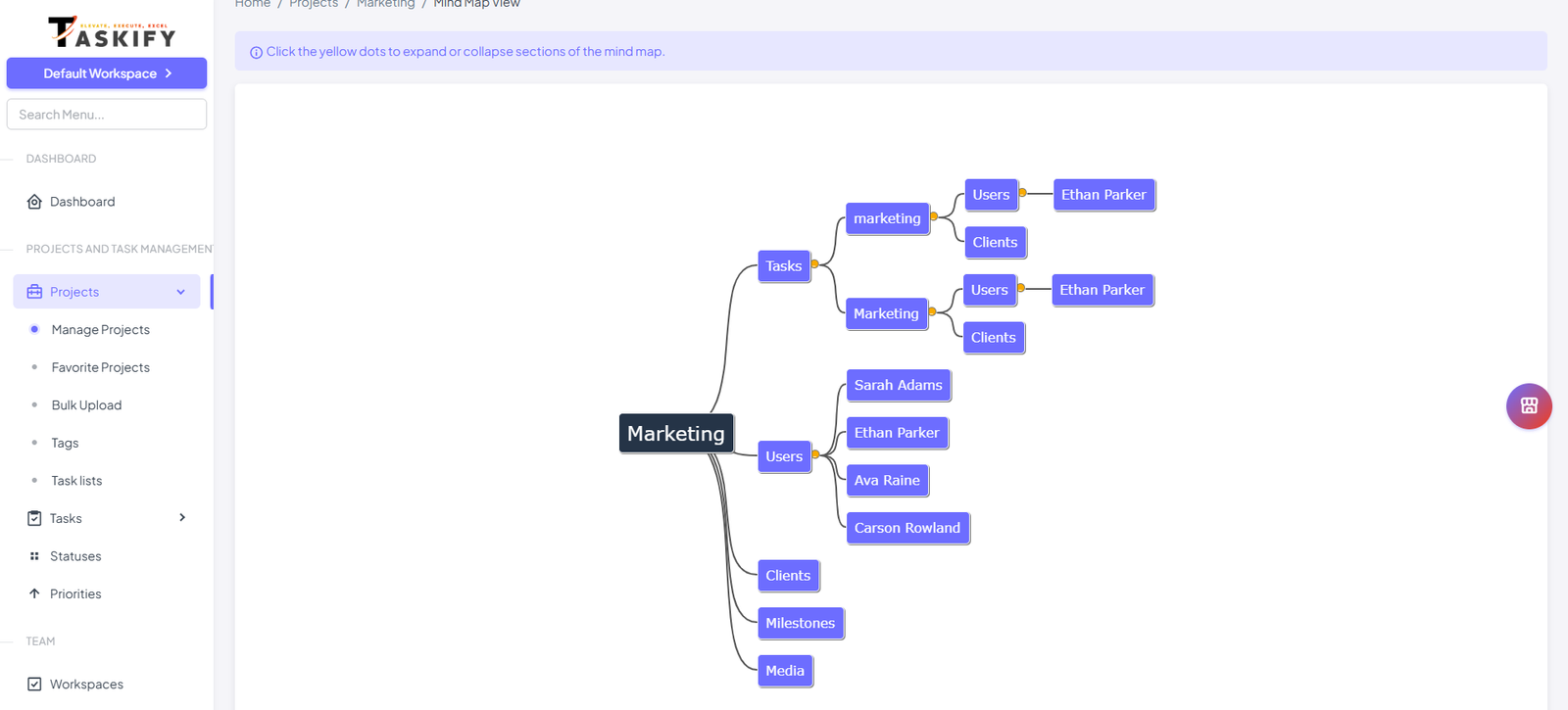
5. Mind Map View
The Mind Map View provides a graphical representation of a single project and its tasks. You can:
See task hierarchies and dependencies
Identify critical paths and relationships between tasks
Expand or collapse sections to focus on specific areas
Benefits:
Ideal for visual thinkers who need to understand project structure.
Helps in planning complex projects with multiple interdependent tasks.
6. Gantt Chart View
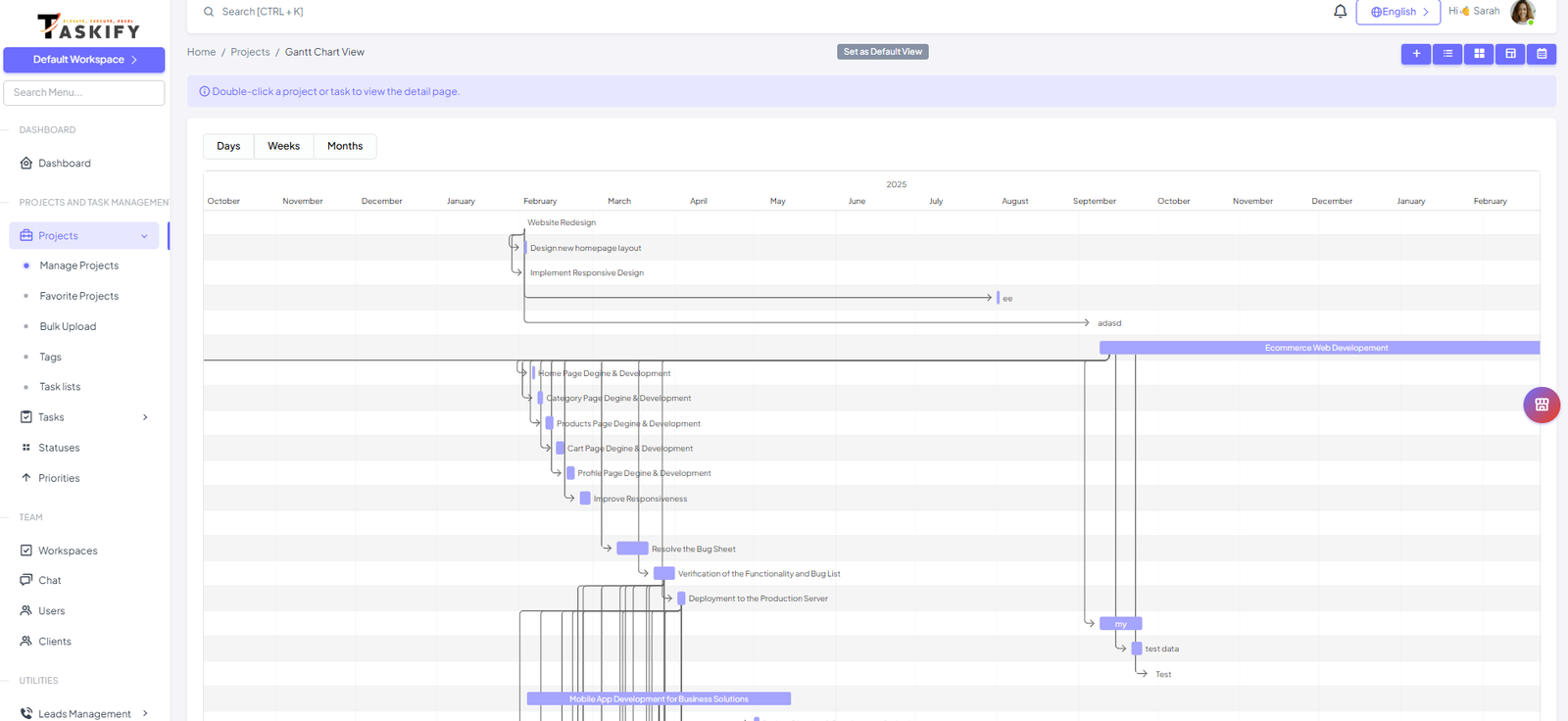
The Gantt Chart View is a timeline-based visualization that shows tasks along a horizontal timeline, highlighting start and end dates, duration, and dependencies. You can:
Track tasks across a project timeline
See overlapping tasks and resource allocation
Identify critical paths and potential delays
Adjust task timelines directly on the Gantt chart
Benefits:
Perfect for project planning and schedule tracking.
Helps managers visualize task dependencies and monitor project timelines efficiently.
Best Practices for Using Project Views
Choose the view based on your workflow or team preference.
List/Grid Views: High-level overview of all projects.
Calendar/Gantt Views: Focus on deadlines, milestones, and dependencies.
Kanban View: Agile workflow and task progress management.
Mind Map View: Complex project planning and task relationships.
Always encourage team members to explore multiple views to find what works best for them.
✅ By leveraging these multiple project views in Taskify, teams can visualize, manage, and track their projects more effectively, ensuring deadlines are met and workflows remain smooth.