
Steps for Slack Bot Token Setup:
Create a Slack App:
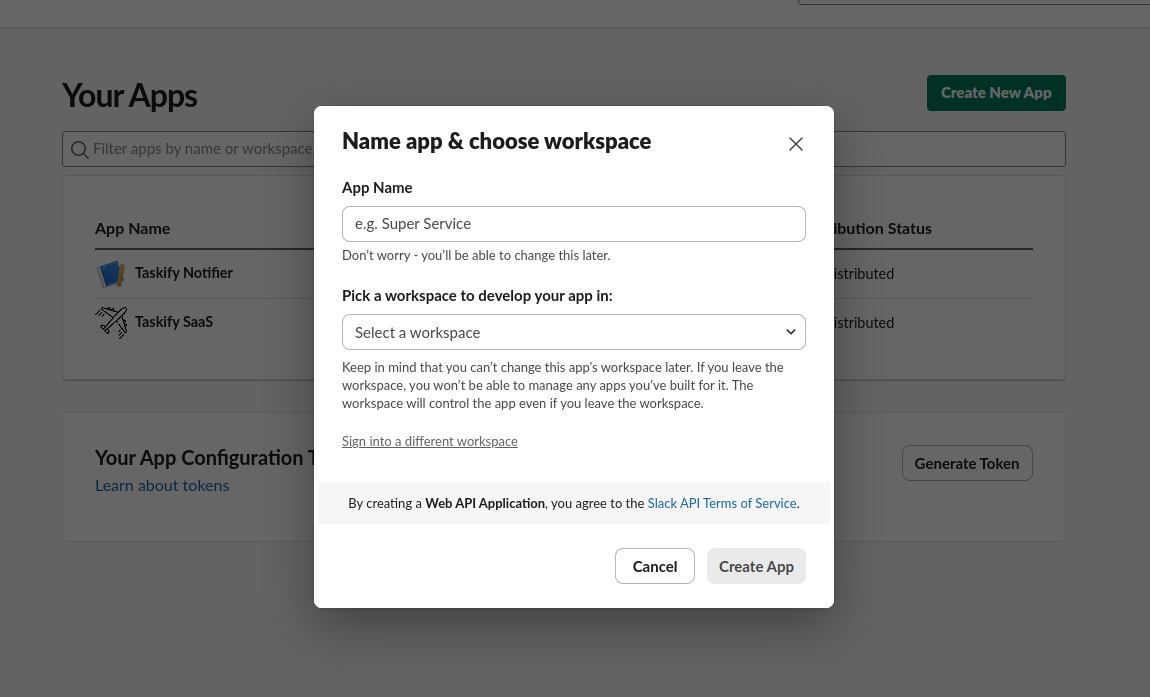
Click "Create New App"
Choose "From scratch"
Name your app (e.g., "Taskify Notifier") and select your workspace
Click "Create App"
Set up Bot Token Scopes:
In the left sidebar, click on "OAuth & Permissions"
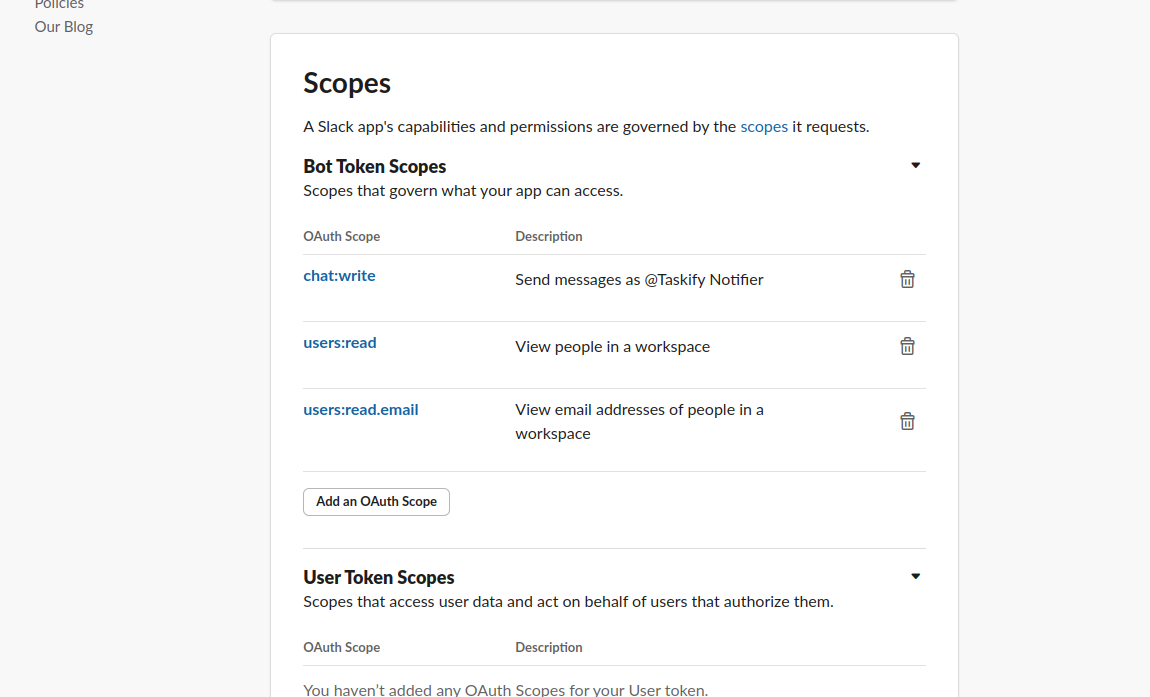
Scroll down to "Scopes"
Under "Bot Token Scopes", click "Add an OAuth Scope"
Add these scopes:
chat:write
users:read
users:read.email
Install the app to your workspace:
Scroll up to the top of the "OAuth & Permissions" page
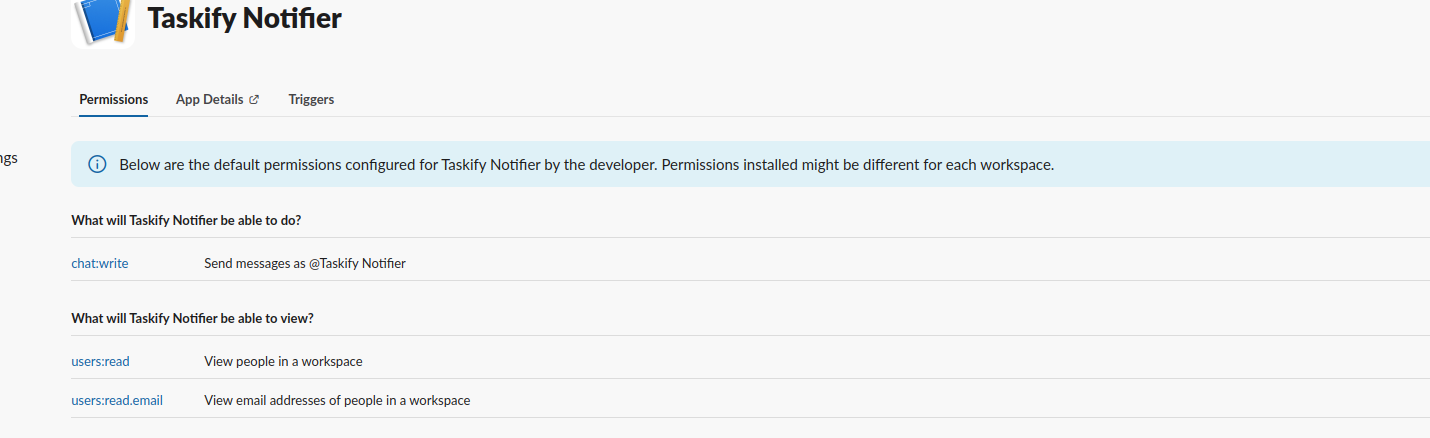
Click "Install to Workspace"
Review the permissions and click "Allow"
Get your Bot Token:
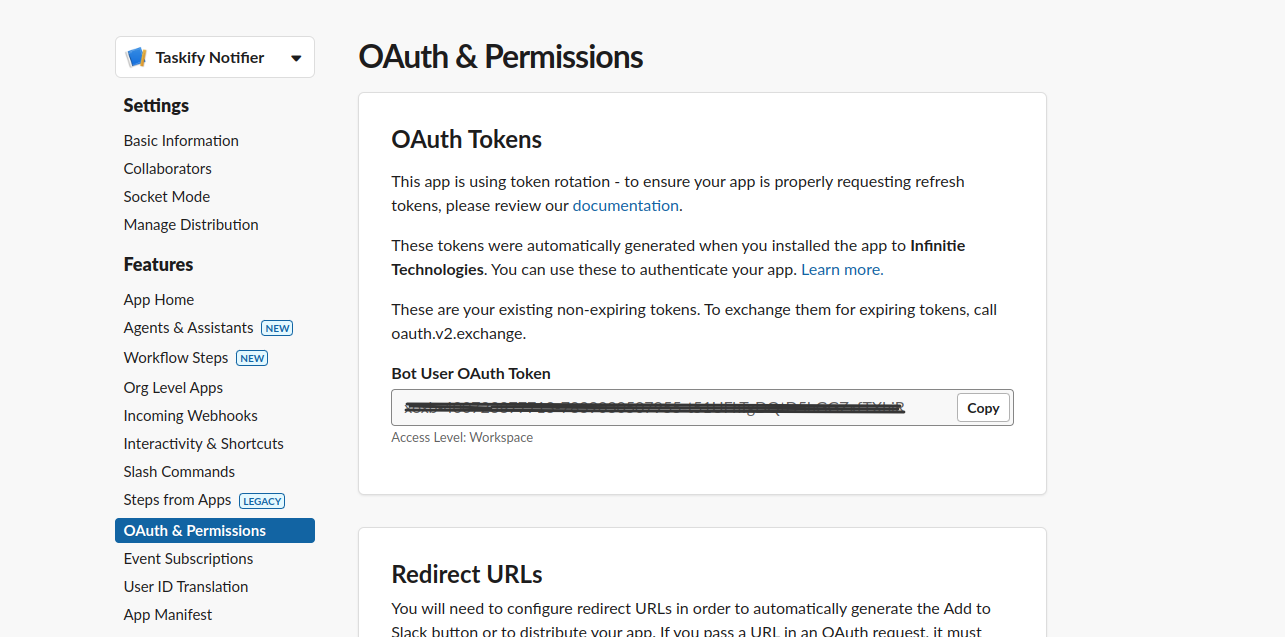
After installation, you'll be back on the "OAuth & Permissions" page
Look for "Bot User OAuth Token" under "OAuth Tokens for Your Workspace"
Click "Copy" to copy this token
Store this token securely (we'll use it in the code later)
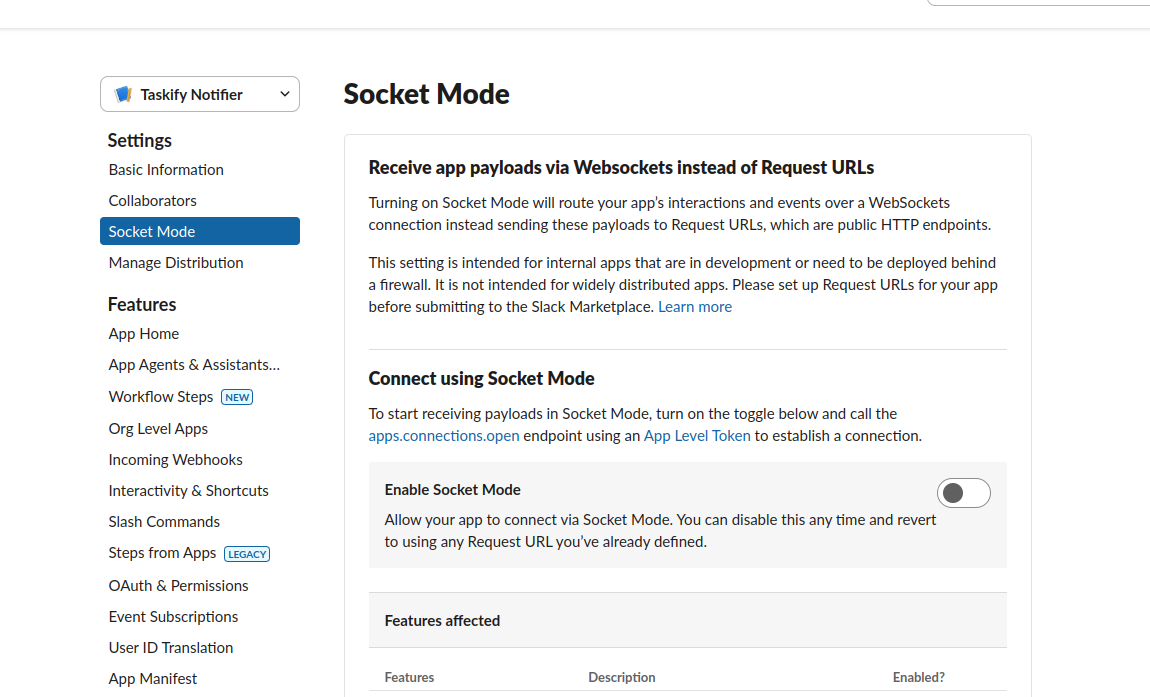
Enable Socket Mode (optional, but recommended for enhanced security):
In the left sidebar, click on "Socket Mode"
Toggle "Enable Socket Mode" to On
If prompted, generate an app-level token and store it securely
Important: Keep your Bot Token and app-level token (if generated) confidential. Do not share them publicly or commit them to version control systems.
Additional Info: To send a Slack notification to a specific user, the Slack user ID will be automatically retrieved using the email ID registered in the system.